

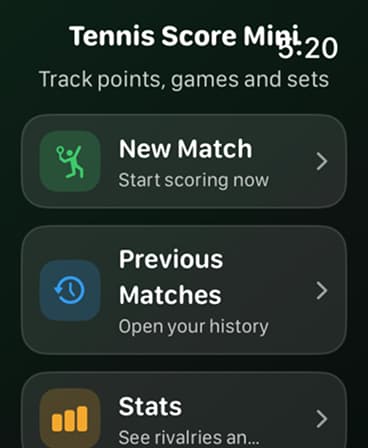
The on-court flow
Set up once. Stay with the score.
These are the key match actions available from Tennis Score Mini on Apple Watch, including the controls you need when the score changes quickly.
01
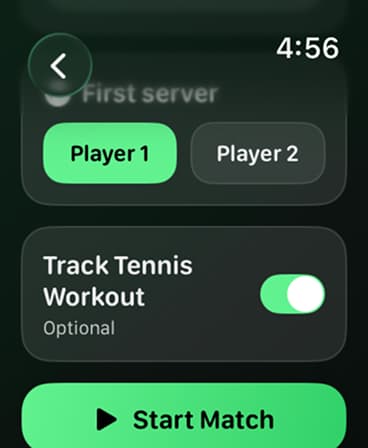
Start a match and choose the first server
Choose New Match from the main menu. Select the players from your contacts, choose who serves first, turn on Tennis Workout tracking if you want it, then start the match.
02
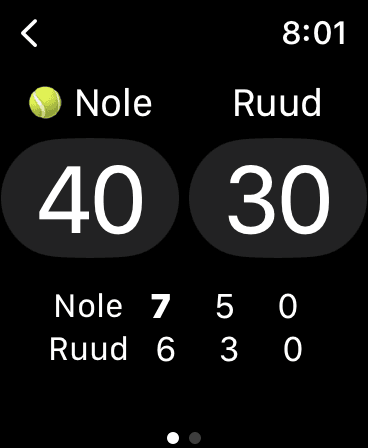
Update the live score point by point
Tap the player who won each point. The live score keeps points, games, and sets together, while showing who is serving.
03
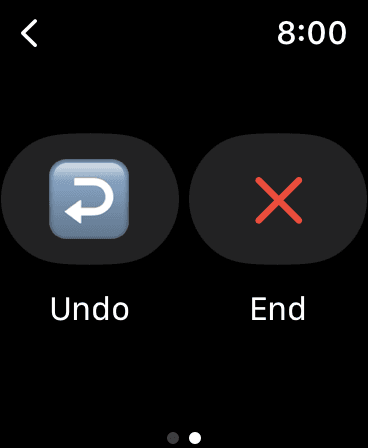
Undo the last scoring action when you need to correct it
If you enter a point by mistake, open the match controls and choose Undo to reverse the last scoring action before continuing the match.
04
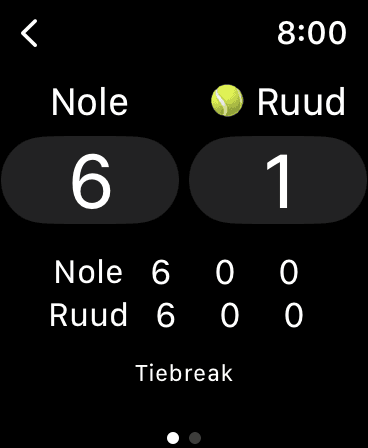
Follow the tie-break when the set reaches 6-6
At 6-6, the app displays tie-break scoring so you can follow each tie-break point separately from the set score.
05
Review the result or start a rematch
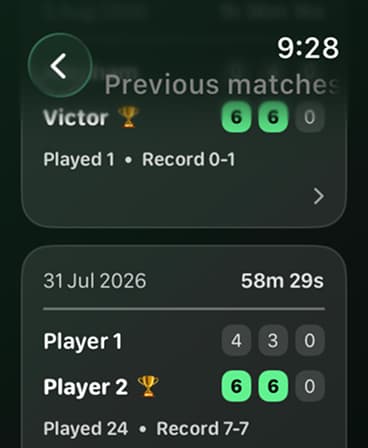
After the match, open Previous Matches to review the completed score. Choose a rematch when you want to start the same matchup again.
Learn the tennis scoring rules behind the screen.
Use the tennis scoring guide for an explanation of games, sets, deuce, tie-breaks, and super tie-breaks.